Introduction
Sharp and consistent photos inspire confidence. Mastered lighting makes a difference from the first visit. You can achieve professional results without a complex studio. The key lies in simple and consistent choices.
The Basics of Simple Product Photography Lighting
Good product photography lighting clarifies form, texture, and color. It guides the eye. It reduces returns and doubts. It streamlines the buying experience.
The Three Objectives to Aim For
Clarity. The buyer should understand everything at a glance. Pay attention to contrast, sharpness, and shadows.
Consistency. Maintain the same style from one session to another. Set the height, angle, power, and white balance once. Note these settings.
Control. Master reflections and glare. Use diffusion and reflectors. Avoid mixing color temperatures.
Useful Lighting Principles
Large Source, Soft Shadows. A large light source, close to the product, softens shadows. A simple diffuser is often sufficient.
45-Degree Angle. Place the light slightly above and to the side. This adds dimension without flattening the subject.
Clean and Uniform Background. A smooth white background facilitates cut-outs. A neutral gray background reduces reflections on shiny objects.
Distance and Repeatability. Mark the floor and table with tape. This allows you to quickly recreate the same setup.
Setting Up a Profitable Mini-Studio in Quebec
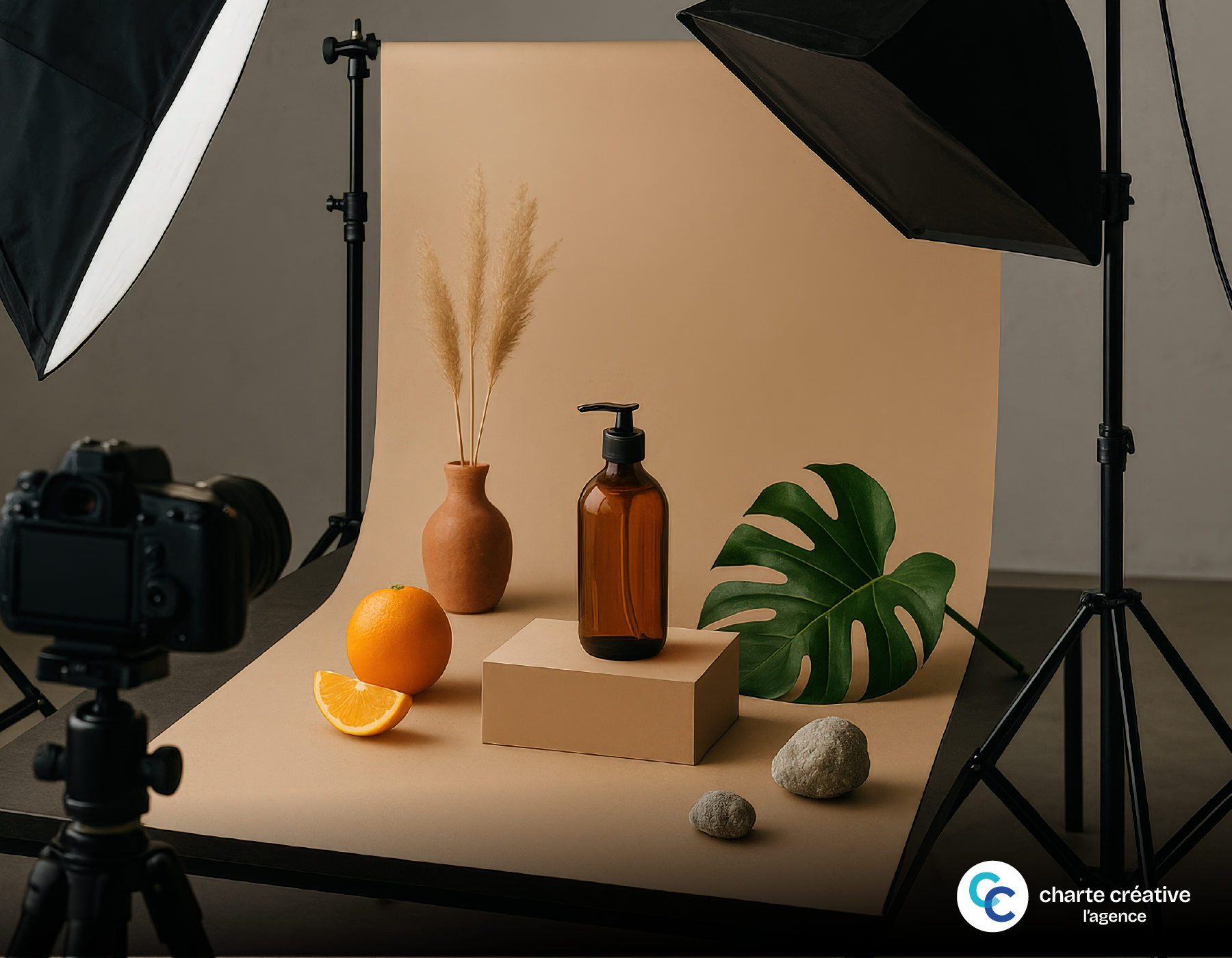
You can set up a photo corner in an office or warehouse. All it requires is a stable and quiet space.
Space, Background, and Useful Surfaces
Solid Table. A table 60 to 80 cm deep works well. The surface should remain matte to avoid reflections.
Seamless Background. A roll of white Bristol board forms a “sweep” curve. Secure it with tape to a wall or stand. Bristol sheets are inexpensive at DeSerres. Expect to pay $15 to $30 CAD.
Simple Reflectors. Two white foam boards reflect light. You can find them at Dollarama or Staples (Bureau en Gros). Average price: $4 to $15 CAD.
Affordable Diffusion. A matte white shower curtain acts as a diffuser. Place it between the light and the product.
Purchase Examples and Budgets
Starter Kit (≈ $200 to $300 CAD):
- 2 entry-level LED panels (Neewer, Godox) with tripods: $140 to $200 CAD.
- 1 Bristol board background and gaffer tape: $25 to $40 CAD.
- 2 foam boards: $10 to $20 CAD.
- 1 CSA-certified power strip and two spare bulbs: $25 to $40 CAD.
Advanced Kit (≈ $450 to $700 CAD):
- 2 bi-color CRI 95+ LEDs with softboxes: $300 to $500 CAD.
- 1 third light source for background or backlighting: $120 to $180 CAD.
- 1 robust tripod for camera or smartphone: $40 to $60 CAD.
Local Network. In Montreal, Lozeau and Gosselin Photo offer selection and advice. Henry’s also serves several cities in Quebec. Compare with Amazon.ca for delivery times and price.

Utilizing Daylight for Consistent Product Photography Lighting
Natural light remains free and pleasant. However, it requires a methodical approach.
Window, Diffusion, and Schedules
North-Facing Window. The light remains more stable there, especially in the morning. Avoid direct sunlight, as it creates harsh shadows and reflections.
Simple Diffusion. A white sheer curtain softens the light. Move the product 1 meter from the window. Place a reflector opposite to lighten shadows.
Regular Schedules. Choose a fixed time slot. For example, 10 AM to 12 PM. Your results will be more uniform throughout the year.
Controlling Contrast and Reflections
Reduce Contrast. Move the reflector closer to the dark area. Adjust until you achieve a soft rendering.
Track Down Reflections. Turn the object a quarter turn. Stop as soon as the reflection moves off the main face. For bottles, use two side diffusion strips.
Plan B for Variable Weather. Keep a small LED panel to stabilize the setup. Set it to low power. Use it to fill shadows.
LEDs and Accessories for Affordable Product Photography Lighting
LEDs offer excellent control. They make product photography lighting predictable and reproducible.
Choosing Your LEDs Wisely
Fixed or Bi-Color Temperature. 5600K “daylight” provides a neutral base. Bi-color models help adjust according to the environment.
Color Rendering Index. Aim for CRI 95+ or TLCI 95+. Colors will be more accurate. This is crucial for clothing or cosmetics.
Dimmable and Silent. A precise dimmer makes all the difference. Avoid noisy fans for product video.
Certification and Safety. Choose CSA-certified power supplies. Use power strips with surge protection. Never overload outlets.
Life-Simplifying Accessories
Softbox and Dome. They enlarge the light source and soften shadows. A 60 x 60 cm softbox covers most products.
Photo Tent. Practical for shiny and small objects. The rendering can appear flat. Add accent lighting for dimension.
Tripods and Articulated Arms. Stabilize your frame and angles. A smartphone arm improves vertical framing.
Gray Cards and White Balance. Perform a custom white balance at the beginning of each session. Your colors will remain consistent, even over several days.
Workflow and Consistency with Your Product Photography Lighting
A simple process stabilizes quality and time spent. It protects your profit margin.
Effective Shooting Settings
Fixed White Balance. Set 5600K with daylight LEDs. Or perform a custom white balance using a gray card.
Tight Aperture. Aim for f/8 to f/11 for depth of field. Place your camera on a tripod. Stay at ISO 100 or 200 to reduce noise.
Angle and Distance. Frame straight for e-commerce listings. Note the product-to-camera distance to reproduce the scale.
Smartphone or Camera. A recent iPhone is sufficient with a “Pro” app. Halide or ProCamera allow for manual control. On Android, try ProShot or the native app in Pro mode.
Light Retouching and Image SEO
Minimal Retouching. Correct exposure, contrast, and white balance. Clean dust. Align the horizon.
Uniform Background. For marketplaces, aim for pure white. Many require an #FFFFFF background. Adjust levels carefully to avoid halos.
Size and Compression. Export at 2000 to 3000 px on the longest side. Compress to JPEG at 70-80%. Keep a WebP copy for compatible browsers.
Naming and Alt Attribute. Prefer descriptive names in French. Example: bottine-cuir-femme-brune-garantie-quebec.jpg. Write clear and useful alt text.
Structured Data. Mark your product pages with Schema.org/Product and ImageObject. Search engines will better understand your visuals.
Quality Control. Compare your new images to old ones. Measure the impact on conversion rate and return rate.
Operational Summary for Convincing Product Photos
Simple lighting serves your brand and conversion. Start with a large light source, a clean background, and a reflector. Fix your settings and repeat the setup. Switch to LED as soon as your volume increases. Maintain a stable white balance. Document everything to save time.
Then optimize retouching and image SEO. Name your files, refine alt text, and compress. Add structured data. Measure the results on your sales in Quebec. Adjust power, distance, and angles in small increments.
A final tip. Test on three different products: shiny, matte, textured. Validate the rendering with a typical client. Adopt the winning setup and standardize it.
Sources and References
Official References
- Office québécois de la langue française (OQLF) — Photography Vocabulary: https://vitrinelinguistique.oqlf.gouv.qc.ca
- CSA Standards and Electrical Safety in Canada: https://www.csagroup.org
- CASL (Canada’s Anti-Spam Legislation) — Best Practices for Consent and Content Sending: https://laws-lois.justice.gc.ca/fra/lois/E-1.6
Local Tools and Platforms
- Google Business Profile: https://www.google.com/business/
- Bing Places for Business: https://www.bingplaces.com
- Yellow Pages Canada — Business Listings and Images: https://www.pagesjaunes.ca
- Apple Business Connect: https://businessconnect.apple.com
SEO Studies or Standards
- Schema.org — Product, ImageObject, AggregateRating: https://schema.org
- Whitespark — Local SEO Guides and Citations: https://whitespark.ca
- BrightLocal — Studies on Local Search and Visual Impact: https://www.brightlocal.com